Link building feels simple when someone else explains it. Then you sit down to do it and wonder why each step takes so much time.
We were link building nerds even before Linkscope. We didn’t quite understand how people have a checklist of 4 things and call it a link building checklist.
You check a site, you look at a keyword gap, and you search for a contact. You send an email. Then you do it again and again.
It can drain anyone.
We have prepared a link building checklist just to help you stay on track. It keeps your process clean and saves you from small mistakes. It also helps you move fast because you always know what comes next.
Just to clarify, it’s not a simple 4-step checklist. You will find everything here.
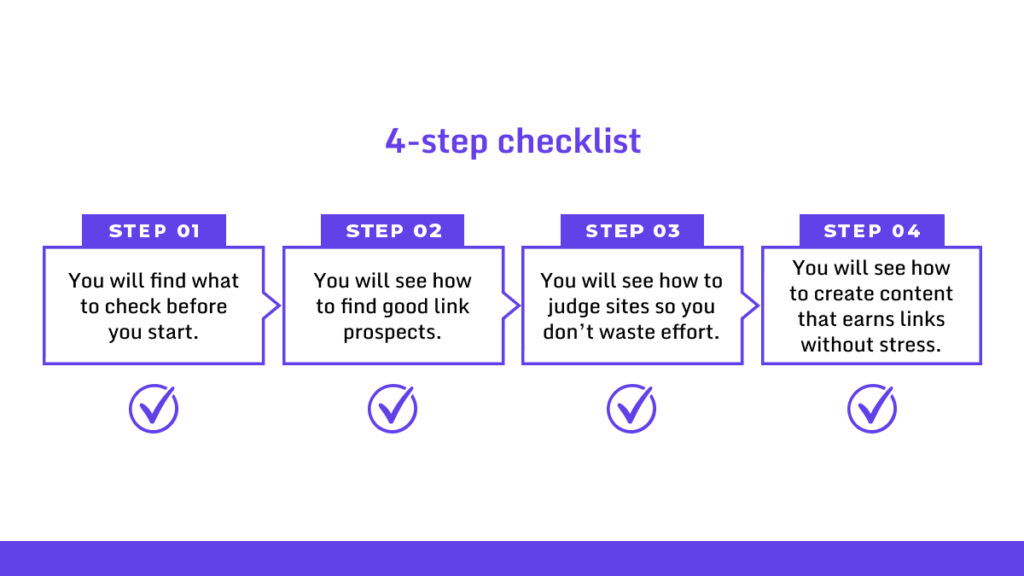
Think of it as the list you wish you had on your first link outreach day.
It will work for beginners. It will work for busy marketers.
If you want steady growth without chaos, grab yourself a cup of coffee and let’s start.
Step 1 – Prepare For The Link Building Process
A proper preparation before the whole link building hassle will save you some time. Let’s get into preparation.
1. Audit Your Existing Backlinks – 170 Minutes
Look for three major things:
- ➜ If the link is from a real site.
- ➜ If the page still exists.
- ➜ If the anchor text makes sense.
Your 8-Step Backlink Audit Plan
Grab your tools.
You’ll want SEMrush, Ahrefs, Moz, or Google Search Console. Free versions work if you’re starting. Paid tools dig deeper.
Step 1: Pull All Your Backlink Data
Export your full backlink list from multiple sources. GSC shows verified links.
Ahrefs and SEMrush catch what GSC misses (and trust us, GSC misses about 20-30%).
Grab these details: referring domain, URL, anchor text, dofollow/nofollow status, and when the link first appeared.
| Required Time (Approximately) | 30 Minutes |
Step 2: See the Big Picture
Run the numbers. Count your total backlinks, unique referring domains, and your follow/nofollow ratio. You want 70-80% dofollow links.
Look at your link velocity. That’s how fast you’re gaining (or losing) links. Steady growth is good. Sudden spikes? That’s a red flag for Google.
Use your tool’s dashboard to spot trends. Compare new links to lost ones each month.
| Required Time (Approximately) | 10 Minutes |
Step 3: Check Link Quality
Score each domain. Look for Domain Authority or Domain Rating above 30 (good to have!). Links from .edu, .gov, or sites in your niche carry more weight.
Filter out the junk. Anything with a DA under 10 needs a closer look.
Here’s what matters:
- ➜ Domain Authority: Should be above 40. Run if it’s below 10.
- ➜ Referring Domains: If 20% of your links come from one site, you’re in trouble.
- ➜ Page Traffic: Look for 1,000+ monthly visits. Zero-traffic sites are ghost towns.
- ➜ Link Placement: In-content beats sidebar or footer. Buried links in footers are basically worthless.
| Required Time (Approximately) | 25 Minutes |
Step 4: Review Relevance and Anchor Text
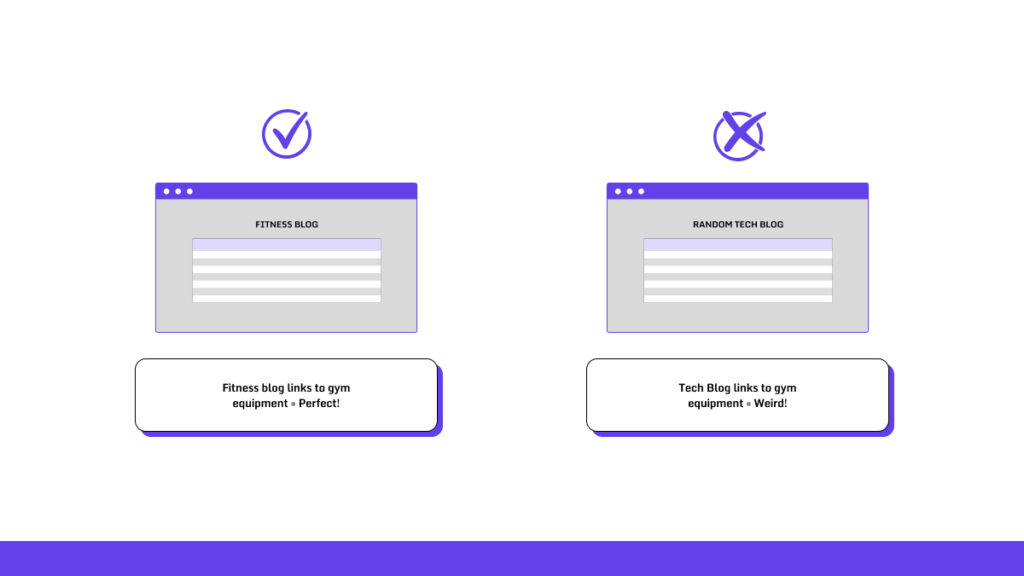
Check if the linking page actually relates to your content.
A fitness blog linking to your gym equipment? Perfect.
A random tech blog? Weird.
Study your anchor text. You want a natural mix: 40-50% branded, under 10% exact match keywords, 20-30% naked URLs.
Too many exact matches look manipulative.
| Required Time (Approximately) | 45 Minutes |
Step 5: Hunt Down Toxic Links
Spot the spam. Watch for private blog networks, adult sites, gambling sites, or domains that are just your keywords mashed together.
Use toxicity scores. SEMrush flags anything over 30%. Moz’s Spam Score gets nervous above 5%.
Check for redirects, 404s, or hacked links. Sudden anchor text changes are a giveaway.
| Required Time (Approximately) | 30 Minutes |
Step 6: Make Your Moves
- ➜ Keep: High-quality, relevant links. Reach out to those sites. Update old content if you need to.
- ➜ Disavow: Toxic links through Google’s Disavow Tool. Only disavow 5-10% of your profile. Watch what happens over the next three months.
- ➜ Replace or Build: Go after lost links. Build new ones based on what you found.
| Required Time (Approximately) | 30 Minutes |
2. Define Your Link Building Goals – 85 Minutes
Follow these steps to create SMART goals (Specific, Measurable, Achievable, Relevant, Time-bound). Use Google Analytics, Ahrefs, or a spreadsheet to track everything.
Step 1: Match Your Business Goals
What matters most to your business right now?
If you run an online store, chase links that bring real traffic.
If you’re in B2B, go after authority links that make you look smart.
Check what’s working today. Look at your traffic sources and best-performing pages. Find the weak spots.
| Required Time (Approximately) | 30 Minutes |
Step 2: Check Your Starting Point
Stop saying “get 100 links.”
Say “get 50 dofollow links from tech blogs with DR 40+ by Q2 2026.”
Sort your goals by purpose: brand awareness (guest posts), traffic (resource pages), sales (affiliate links). Pick 3-5 goals per quarter.
Numbers Might Look Like This:
| Metric | Where You Are | Where You’re Going (6 Months) |
|---|---|---|
| Referring Domains | 500 | +150 (from different niches) |
| Average DR | 35 | 45+ (mid-tier sites) |
| Dofollow Ratio | 65% | 75% (quality wins) |
| Lost Links/Month | 10 | Less than 5 (keep what you have) |
Choose 5-10 pages that could make you money. Think guides or product pages.
Give each page a link goal (like 10 links per page). Relevant links build your authority twice as fast.
| Required Time (Approximately) | 45 Minutes |
Step 3: Plan Your Budget and Risks
Most SEOs spend $1K-$5K per month on link building. That covers tools, outreach, and content. Keep exact match anchor text under 15% or Google might slap you. Have a backup plan. If your outreach converts under 20%, try HARO instead.
| Required Time (Approximately) | 10 Minutes |
Step 4: Pick Your Success Markers
Let’s set the goals and figure out what we should track.
What to Measure:
| Goal Type | What to Track | Tool |
|---|---|---|
| Authority | DR increase, citations | Moz/Ahrefs |
| Traffic | Referral visits, bounce rate | Google Analytics |
| Conversions | Sales/leads from links | UTM tracking |
Decide Which Pages Need Links
Focus on F” (they convert) and “pillar pages” (they build authority).
Step 1: Check How Your Pages Are Doing

Pull your data from GA (Behavior > Site Content > All Pages) and GSC (Performance report). Look at traffic, bounce rates, and conversions.

Find pages with over 1,000 visits per month, bounce rates under 30%, or strong conversion numbers.
These pages work. They deserve more links.
| Required Time (Approximately) | 20 Minutes |
Step 2: Find Your Keyword Sweet Spots
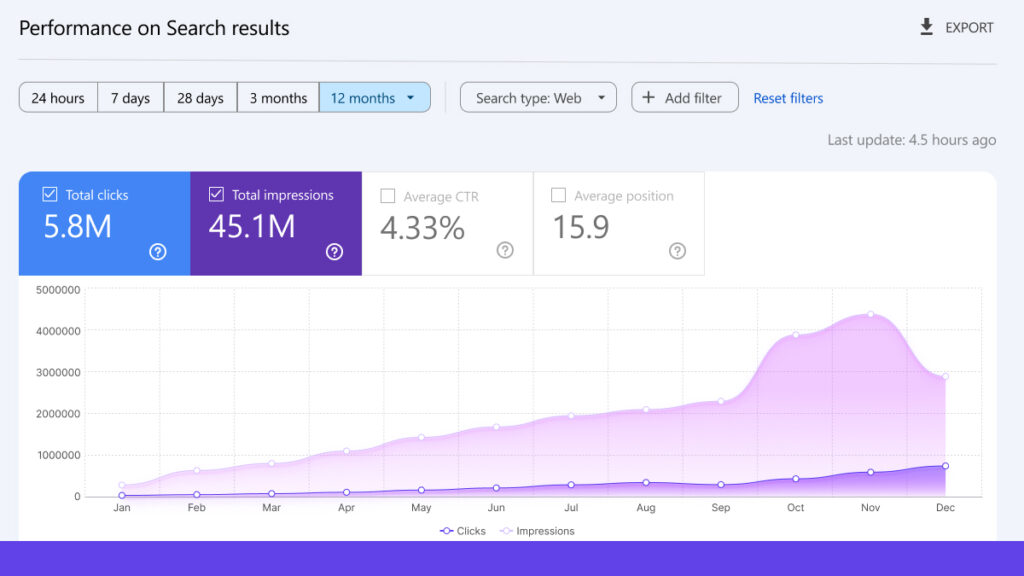
Open GSC or Ahrefs. Look for keywords ranking in positions 4-10 with over 100 impressions but under 5% clicks.
These are your “linkable gaps.” More authority pushes them higher.
Pick terms that make you money. “Buy [product]” beats informational searches every time.
| Required Time (Approximately) | 20 Minutes |
Step 3: Sort Your Pages by Value
Break pages into three types:
- ➜ Pillar content (guides, research)
- ➜ Money pages (product or service pages)
- ➜ Blog posts
Score each one. Call it high value if it drives over 5% of your conversions or links to 10+ internal pages. Skip thin content (under 500 words, duplicates) or pages with bounce rates over 70%.
Page Types and What to Target:
| Page Type | What to Prioritize | Example | Link Goal |
|---|---|---|---|
| Pillar Content | High authority, timeless | Ultimate SEO Guide | 50+ backlinks |
| Money/Landing | Converts, commercial terms | Pricing Page | 20–30 targeted |
| Blog Posts | Shareable, mid-funnel | Case Study | 10–15 natural |
| Homepage | Too broad (skip this) | N/A | Minimal |
| Required Time (Approximately) | 30 Minutes |
Step 4: Find Link Profile Gaps
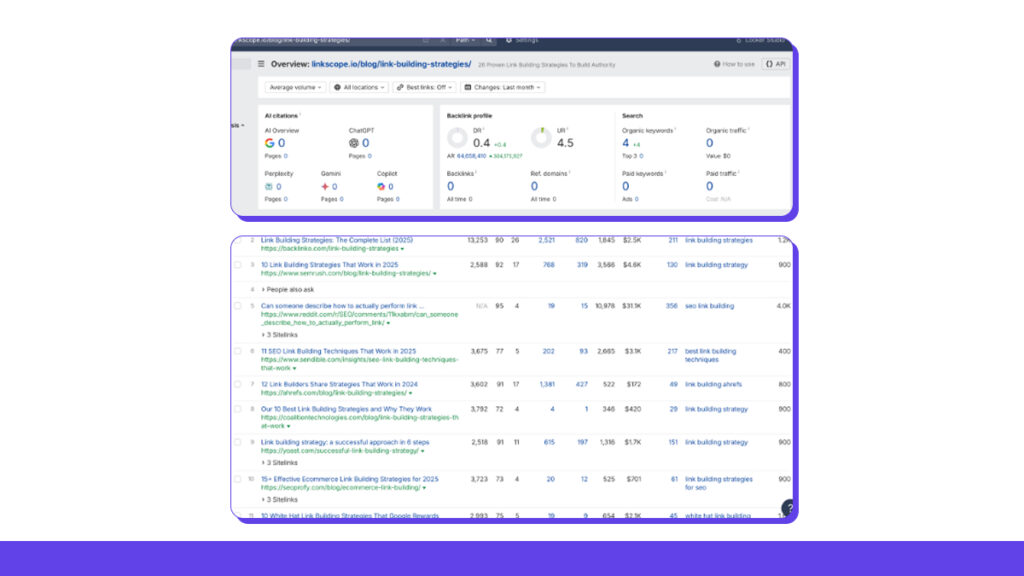
Check Ahrefs or SEMrush for referring domains per page. Target pages with fewer than 5 high-DA links compared to competitors.
For example, our top competitors have an average of around Lowest has 9 links, and the highest has 820 Referring Domains. While we will be working on the backlinks, we need to take similar measures for this blog as well.
Use GSC’s Links report to find high-impression pages that need more links.
| Required Time (Approximately) | 15 Minutes |
Step 5: Score and Rank Your Pages
Build a simple scoring system:
- ➜ Traffic: 30%
- ➜ Keyword Potential: 25%
- ➜ Conversion Value: 20%
- ➜ Current Links: 15%
- ➜ Relevance: 10%
Rate each category from 1-10. Pages scoring over 60/100 get priority. Start with your top 5-10. Use Excel or Google Sheets for this. Ahrefs’ Content Gap tool can speed things up.
| Required Time (Approximately) | 30 Minutes |
4. Calculate the Link Gap for Target Keywords
Step 1: Find Your Keywords and See Who’s Winning
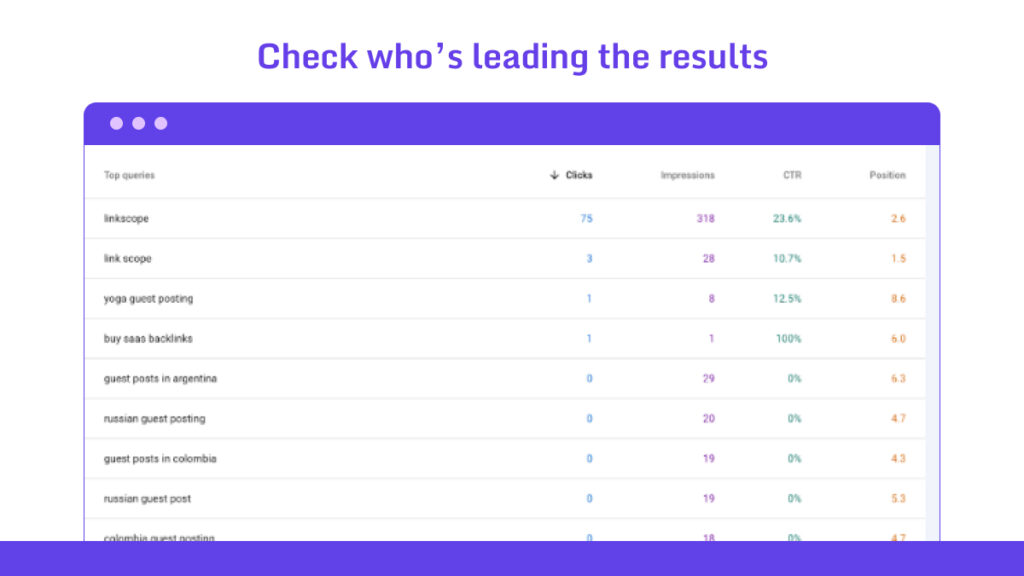
Open Ahrefs Keywords Explorer or SEMrush Keyword Magic Tool. Find 5-10 keywords that get 1,000+ searches per month and show buying intent.
You want terms where you rank somewhere in the top 15 but not in the top 3 spots yet.
Example:
Type each keyword into Google. Write down the top 3-5 URLs that beat you (pick actual competitors, not just big brands in different niches).
Save these info: keyword, competitor URL, your URL if you rank, search volume, and difficulty score.
Make sure these competitors actually match your space. A giant site with massive authority doesn’t count if they’re in a different business.
| Required Time (Approximately) | 30 Minutes |
Step 2: Check Where Competitors Get Their Links
Plug each competitor URL into Ahrefs Site Explorer or SEMrush Backlink Analytics. Pull their backlink data for that specific page that ranks.
Grab these details: domain rating or authority, whether links are dofollow, if anchor text matches the keyword naturally, and when the link was first added.
Do the same for your page. Now you have a starting point.
This focuses on links that actually help with your keyword, not random links across their whole site.
| Required Time (Approximately) | 30 Minutes |
Step 3: Find the Gaps
Open Ahrefs Link Intersect or SEMrush Backlink Gap. Add your site plus 3-5 competitor URLs. Set it to “referring domains” mode.
You’ll see a chart showing which sites link to your competitors but not to you.
Focus on domains that link to 2 or more competitors. Export this list.
Here’s how to think about gaps:
- ➜ High Priority: Sites linking to all your competitors (usually 10-20 niche blogs)
- ➜ Medium Priority: Sites linking to 2-3 competitors (around 30-50 resource pages)
- ➜ Low Priority: Sites linking to just one competitor (100+ forums and smaller sites)
| Required Time (Approximately) | 15 Minutes |
5. Create a Link Tracking Sheet or Dashboard
You’ve got two paths here.
- Use Google Sheets if you’re starting out or don’t want to spend money.
- Or grab Ahrefs and SEMrush if you want automation that does the heavy lifting.
We’re going with a mix of both in this guide.
Step 1: Pick Your Tool and Get a Template
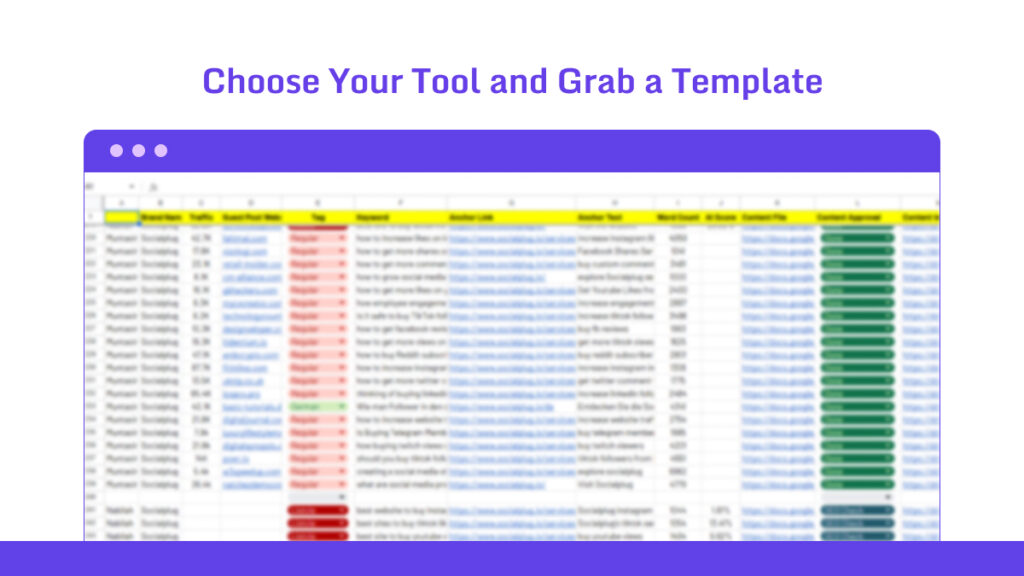
Google Sheets works great for teams since everyone can jump in. Excel is fine if you work solo and offline. Want something fancier? Looker Studio connects straight to Google Analytics for free. SEMrush has reporting built right in.
Add Supermetrics to Sheets if you’re pulling data from Ahrefs.
| Required Time (Approximately) | 15 Minutes |
Step 2: Build Your Main Columns
Make three tabs. One for “Overview” where you see the big picture. One for “Full Log” with every single link. And one for “Trends” with your charts.
Drop in your backlink audit data. Just export a CSV from Ahrefs and paste it in.
Here’s what you need to track:
- ➜ Link URL – The full web address so you know where it’s from
- ➜ Anchor Text – The clickable words (like “best SEO tools”)
- ➜ Domain Authority – The score from Moz or Ahrefs (something like 45)
- ➜ Status – Is it new, lost, active, or disavowed? Use a dropdown
- ➜ Acquisition Date – When you got the link
- ➜ Traffic/Conversions – Monthly visits or leads from that link
- ➜ Notes/Actions – What you’re doing about it (like “Email sent 11/1”)
| Required Time (Approximately) | 30 Minutes |
Step 3: Set Up Automatic Updates
Connect Ahrefs or SEMrush so new links show up without you typing them in. Google Apps Script can do this. Or just use =IMPORTXML for simple stuff.
Link Google Analytics too so you can see which domains send actual traffic.
| Required Time (Approximately) | 15 Minutes |
Step 2 – Finding Link Opportunities
The web is huge and most sites won’t care about your content. The goal isn’t to find every opportunity. The goal is to find the ones with the highest chance of saying yes.
6. Use Competitor Backlink Profiles
Pick 3-5 competitors who show up for your keywords. Check back every few months to keep up.
Step 1: Group them into three buckets:
- ➜ Direct competitors sell what you sell.
- ➜ Indirect ones target your audience but sell different stuff.
- ➜ Aspirational competitors are the big names you want to beat.
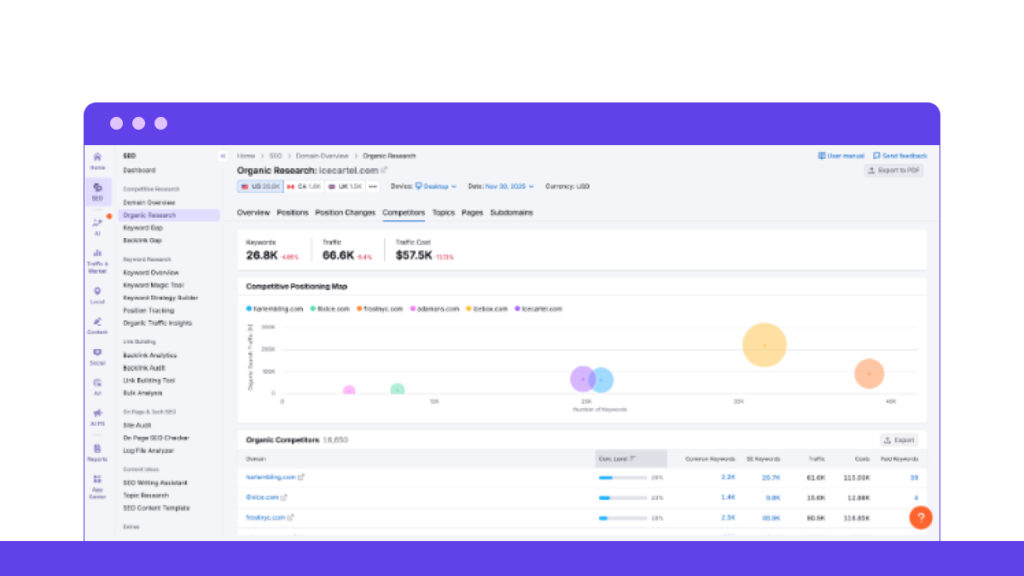
SEMrush’s Organic Research builds a competitor list for you based on shared keywords.
For example, this moissanite jewelry brand hit 100K visitors and is currently driving amazing results with proper competitor segmentations.
| Required Time (Approximately) | 15 Minutes |
Step 2: Pull Their Backlink Data
Drop competitor domains into Site Explorer or Backlink Analytics.
Download everything, including referring domains, top pages with links, anchor texts, and link types. You’ll see 80-90% of their links this way.
Break links down by source: guest posts, directories, forums, resource pages,and broken links.
Watch for patterns. Maybe certain anchor text drives tons of traffic. Or they get links every December from holiday roundups.
| Required Time (Approximately) | 15 Minutes |
Step 3: Compare the Numbers
Line up your profile next to theirs. Look at total backlinks, unique domains, average domain authority, and how old their links are.
Spot the gaps. If they have twice as many .edu links as you, that’s your next target.
Most tools have comparison charts built in.
Run a “Link Intersect” comparison.
Sites linking to both of you are worth strengthening. Sites linking only to them? Go get those.
| Required Time (Approximately) | 45 Minutes |
Step 4: Steal Their Content Ideas
Look at the pages earning their best links. What did they make? Infographics? Research studies?
Search for times people mention their brand without linking. BuzzSumo and Ahrefs Content Explorer work great for this. Plan when you’ll pitch similar content to those same sites.
| Required Time (Approximately) | 30 Minutes |
7. Use Keyword-Based Prospecting
Start with your core SEO keywords.
Step 1: Pick Your Keywords and Methods
Write down 10-20 keywords that match what you do.
If you run a link-building site, try “link building solutions.” Add words like “guide,” “tips,” “tools,” or “case study” to find pages that link out.
Build Google searches like this: “[your keyword] + ‘write for us’ -site:yoursite.com” or “[keyword] ‘guest post guidelines'”.
Use Ahrefs Content Explorer for bigger searches. Try “[keyword] + author:’name'” to find writers or “[keyword] in title” for topic matches.
Look for how to be content. It gets you more links than sales pages.
| Required Time (Approximately) | 15 Minutes |
Step 2: Build Your List
Run your searches in Google or Ahrefs. Save the URLs. Grab around 100 to start.
Check your competitors, too. In Ahrefs Site Explorer, filter their backlinks by text like “[keyword] case study.” You’ll spot patterns like roundup posts they got into.
Pro move: Sort your list early. Group by industry (like link-building blogs) or who reads them (like link-building experts or SEO enthusiasts).
A spreadsheet works fine. ChatGPT can help sort them fast.
| Required Time (Approximately) | 30 Minutes |
Step 4: Rate Each Site
Score sites on what matters. Check if they cover your topic (70%+ match is good). Look for a Domain Rating between 30-70. They should get 500+ visits per month. Count their outbound links (under 25 per page is best).
Quick Reference:
- ➜ Relevance: 70%+ topic match (bad: totally different niche)
- ➜ Domain Rating: 30-70 (bad: under 20)
- ➜ Monthly Traffic: 500+ (bad: under 100)
- ➜ Links Per Page: Under 15 (bad: over 20)
| Required Time (Approximately) | 30 Minutes |
8. Identify Unlinked Brand Mentions
Mix free Google searches with paid tools like Ahrefs.. Fresh mentions work best; anything under three months old gives you better response rates.
Step 1: Set Up Automated Monitoring
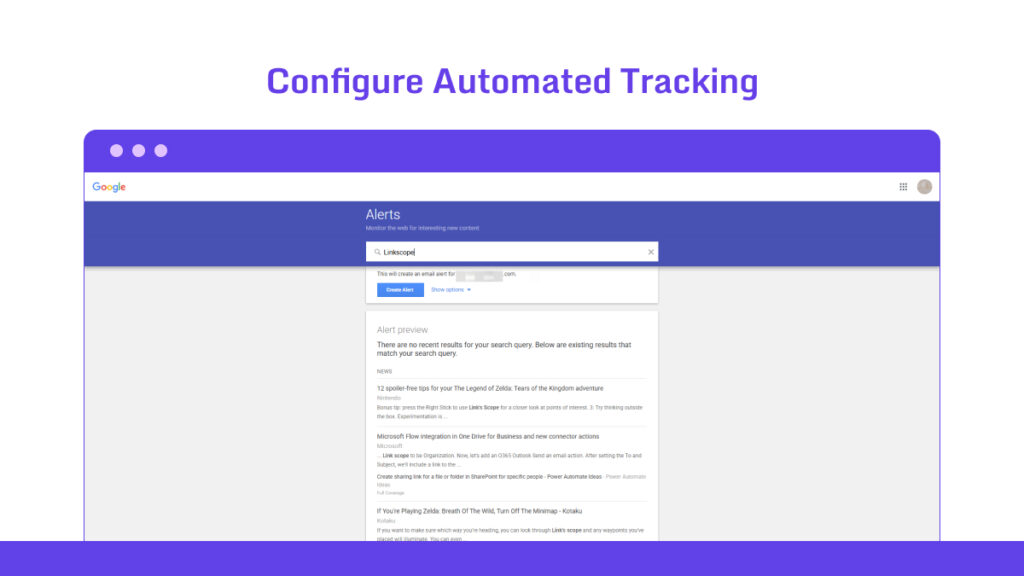
Create alerts in Google Alerts using “[brand] -site:yourdomain.com“.
Add different versions of your brand name. Include common typos, product names, and your founder’s social handles.
This catches 80% more mentions than just using your exact brand name.
| Required Time (Approximately) | 20 Minutes |
Step 2: Use Advanced Tools for Deeper Scans
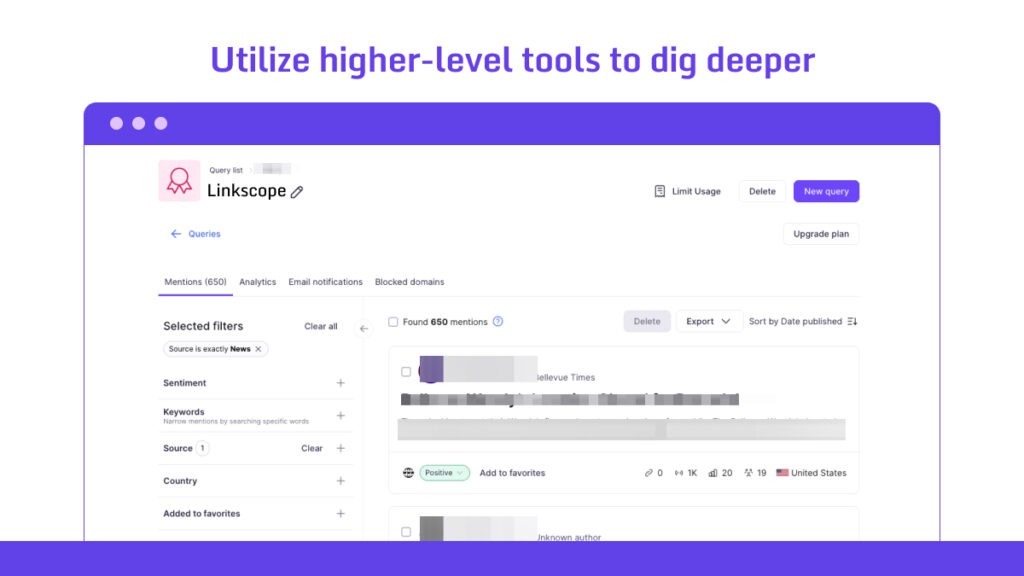
Search Ahrefs Content Explorer or SEMrush Brand Monitoring using your brand name. Filter for “mentions” or “brand” in titles.
Download the results as a spreadsheet. Remove duplicates in Excel.
For podcast or video mentions, search “transcript [brand]” with tools like Otter.ai.
What Makes a Good Mention:
- ➜ Recency: Under 90 days (skip anything over a year old)
- ➜ Tone: Positive or neutral (avoid complaint posts)
- ➜ Site Quality: Domain Rating above 25 (ignore low-quality spam sites)
- ➜ Location: Main content area (skip footer links or random comments)
| Required Time (Approximately) | 20 Minutes |
9. Look for Broken Link Opportunities
Find broken links on sites in your niche. Use free tools like Check My Links or paid ones like Ahrefs. Target 30-50 chances each week. You’ll land 5-10 links per month.
Step 1: Scan for Dead Links
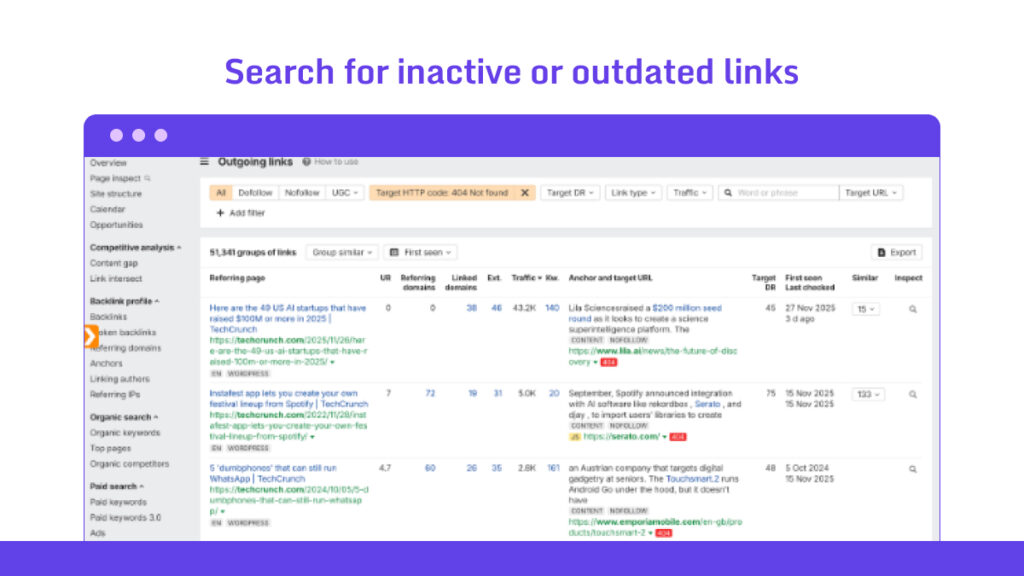
Add the Check My Links extension to Chrome. Or run Ahrefs’ Site Audit on your chosen pages. Stick to 100-200 URLs per site.
Look for 404 errors, redirects, or empty pages. You want at least 6-8 broken links per scan. Automated scans catch 20-30% more problems than manual checking.
| Required Time (Approximately) | 20 Minutes |
Step 2: Save and Sort Your Finds
Download your results as a CSV file. You need the details of the broken URL, the page it’s on, the anchor text, and what’s around it. Sort by what matters to you. Mark the ones that match your content topics. Say you have an email tool; flag any dead links about email tools.
Skip broken internal links. You only want external ones for your outreach.
| Required Time (Approximately) | 10 Minutes |
Step 3: Match Breaks to Your Content
Compare the broken links to what you’ve created. Use Google Sheets VLOOKUP if that helps. Suggest exact swaps.
Got a fresh guide? Offer it for the outdated one.
Make sure your content fits. Aim for 80% or better topic match. A dead link-building strategy hub works if you have a proven list of link-building strategies.
| Required Time (Approximately) | 25 Minutes |
Step 4: Check If It’s Worth Your Time
Look at the page stats. Does it get over 300 visits per month? Check SimilarWeb. Was it updated in the past year? Does it have fewer than 40 outbound links?
Check the site’s health too. Avoid high spam scores. Use Majestic to find Trust Flow at least above 15.
What to Look For:
| Metric | Good Sign | Skip If |
|---|---|---|
| Page Traffic | 300+ monthly visits | Under 100 visits |
| Last Update | Within 12 months | Over 2 years old |
| Outbound Links | Under 40 per page | Over 60 links |
| Trust Flow | Above 15 | Below 5 |
| Required Time (Approximately) | 20 Minutes |
Step 5: Find the Right People and Reach Out
Get email addresses. Try Voila Norbert or check the site footer for contact info.
Find the page owner on LinkedIn. Search for “content manager [site name]” to make your pitch personal.
| Required Time (Approximately) | 25 Minutes |
Step 3 – Outreach and Relationship Building
When you have the prospects and the proper segmentations, you need to go for genuine outreach. Building relationships with the prospects brings in more options.
10. Find Sites Actively Accepting Guest Posts
Find guest post leads per niche within a few hours of work per week. Start with free Google searches, then scale up with Ahrefs or SEMrush. Focus on recent submissions so you’re not pitching dead sites.
Step 1: Find Your Search Terms
Pick keywords that match your niche. Add phrases like “submit guest post” or “write for us.”
Look for fresh opportunities. Search “guest post opportunities 2026” instead of just “guest posts.”
Narrow it down. “B2B SaaS guest posts” work better than just “blog.”
| Required Time (Approximately) | 15 Minutes |
Step 2: Use Smart Google Searches
- ➜ Try this: “‘write for us’ + [your keyword] -inurl:(signup login forum)”
- ➜ Or this: “intitle:’guest post guidelines’ [your niche] site:blog”.
- ➜ Want newer sites? Add “before:2025-12-01” to find pages updated after June.
These searches find actual submission pages, not random blog posts.
| Required Time (Approximately) | 15 Minutes |
Step 3: Build Your List
Grab the top results from each search. Use Ahrefs Keywords Explorer if you have it.
Check niche forums like r/SEO on Reddit. Browse directories like AllTop.
Remove duplicates. Aim for 100 unique sites.
| Required Time (Approximately) | 45 Minutes |
Step 4: Check If They’re Still Accepting Posts
Visit each submission page. Look for updates from the last three months.
Find contact forms or recent author bylines from 2026.
Send a quick “Are you accepting posts?” email to 10% of your list. See who responds.
What to Look For:
| Criteria | Good (Accept) | Skip (Reject) |
|---|---|---|
| Page Updates | Updated within the last 90 days | “Last edit in 2024” |
| Submission Form | Form works properly | The link is broken |
| Recent Posts | 3+ posts in the last quarter | “No posts since 2023” |
| Response Time | Auto-reply within 48 hours | No contact info available |
| Required Time (Approximately) | 30 Minutes |
Step 6: Get the Details You Need
Pull their domain rating (shoot for 40-80 on Moz). Check monthly traffic (2,000+ visitors is solid).
Find editor names in recent posts or on LinkedIn. Personal intros work better.
Track everything in a spreadsheet or Airtable. Tag sites as “easy” or “competitive.”
| Required Time (Approximately) | 20 Minutes |
11. Check the Site’s Topical Relevance
Start with Google or SurferSEO for fast checks.
Step 1: List Your Main Topics
Write down 5-7 topics you cover.
For example, you run a link-building site. Your list might include “link building strategies” and “backlink resources”
Also, set a bar. Let’s say you want 60% or more topic overlap with prospects.
| Required Time (Approximately) | 25 Minutes |
Step 2: Review Their Content
Find the page where you want your link. Pull its top 15-20 keywords using SEMrush On-Page SEO Checker. Compare them to yours. You want at least 50% matching words.
Read a few of their blogs. Make sure their editorial style fits yours. B2B and consumer sites speak different languages.
Run both page texts through TextRank or SurferSEO’s Content Editor. Look for a score above 0.6.
Try Google’s Natural Language API (it’s free). It shows you shared topics and concepts.
Relevance Scores to Watch:
| Metric | Good Score | Bad Sign |
|---|---|---|
| Keyword Overlap | 50%+ match | Under 20% |
| Similarity Score | Above 0.6 | Under 0.3 |
| Shared Entities | 40%+ match | Zero overlap |
| Audience Type | Same type | Different audiences |
| Required Time (Approximately) | 45 Minutes |
Step 3: Check Their Backlinks
Open Ahrefs. Look at where their links come from. If 70% come from eco-blogs, they’re solid for sustainability topics.
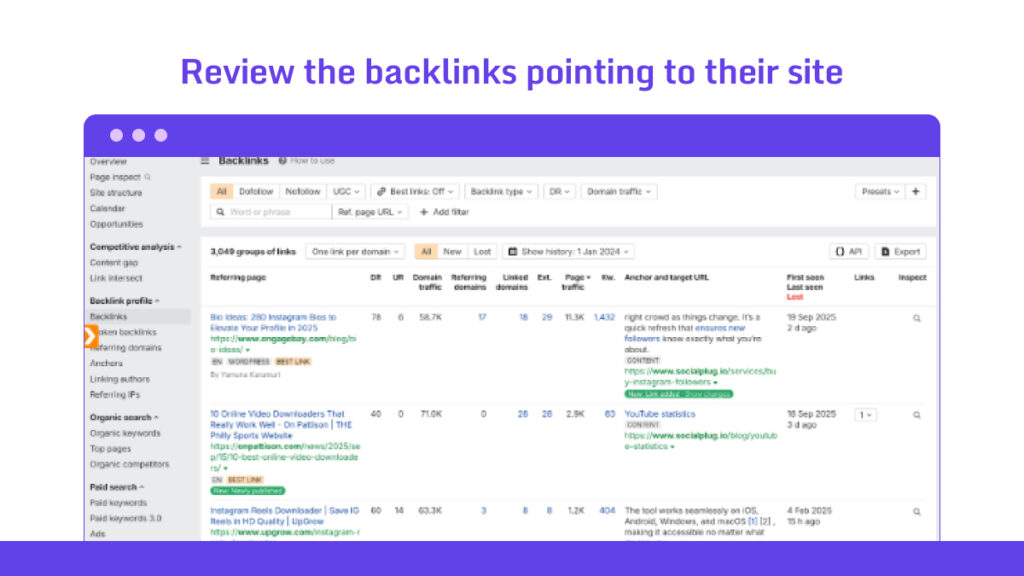
For example, one of our clients helps people with social media growth. Though our journey started small, but now the website is now driving a massive 3M traffic! It all started with the competitor analysis and how we could improve our journey.
| Required Time (Approximately) | 15 Minutes |
12. Reviewing Content Quality
Grab SurferSEO for on-page checks. Use Grammarly for clean reading. Try the Hemingway App for readability. Check every piece before you send it out.
Step 1: Build Your Checklist
Write down 10 – 12 things to track. See if you covered enough subtopics. Look for questions and calls to action. Make sure your images have alt text.
Split the weight like this:
- ➜ 40% goes to value
- ➜ 30% to readability
- ➜ 20% to SEO fit
- ➜ 10% to appeal.
Match your list to your audience. B2B needs data. Consumer brands need stories.
| Required Time (Approximately) | 30 Minutes |
Step 2: Check if It’s Original
Run your content through Copyleaks or Originality.ai. You want 90% unique or higher.
Use Ahrefs Content Gap to see what competitors wrote. Make sure you’re adding something new. Fresh data from 2026 will work great.
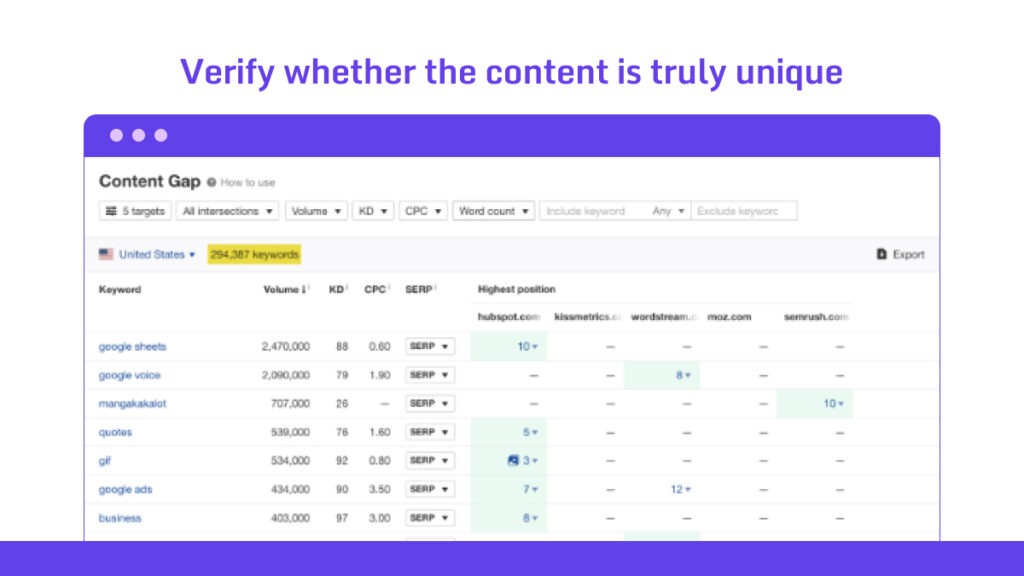
| Required Time (Approximately) | 50 Minutes |
Step 3: Check the Depth
Match your outline to what people actually need. Can you solve at least three problems? Back it up with stats and examples. Count your subheadings and data points.
Aim for 20 or more in a 2,000-word piece. Surfer’s SERP analyzer helps here. Rate how useful it is on a scale of 1 to 10. An actionable checklist beats a basic overview every time.
Run a Flesch-Kincaid test. Keep it under a 60-grade level. Use Hemingway to spot giant blocks of text.
Make sure it flows right. Use bullets and tables for at least half your content. People need to scan it fast.
What to Check:
- ➜ Flesch Reading Ease: 60 to 70 (watch for scores under 50)
- ➜ Sentence Length: Under 20 words on average (cut anything over 30)
- ➜ Subheadings: One every 300 words (break up paragraph walls)
- ➜ Mobile View: Loads in under 3 seconds (compress images over 1MB)
| Required Time (Approximately) | 50 Minutes |
Step 4: Check Your Visuals and Hooks
Add 3 to 5 images per 1,000 words. Make infographics in Canva. Embed short videos under 2 minutes. Compress them with TinyPNG. Write clear alt text with your keywords.
Add something interactive. Try a Typeform poll or clickable buttons. See how users move through it. Include stuff people want to share. Drop surprising stats. Quote at least 3-4 experts.
Use Hotjar heatmaps on your preview to see where people click and where they leave.
| Required Time (Approximately) | 50 Minutes |
13. Evaluating Authority and Trust Metrics
Step 1: Check Authority Signals
Look at DR (Ahrefs uses 0-100) or DA (Moz uses 1-100). Sweet spot? Somewhere between 30-70.
Run Spam Score on Moz. Keep it under 5%. Check Trust Flow on Majestic (aim for over 20). Compare it to Citation Flow. You want a ratio above 0.5.
Look for red flags. Check Google Search Console for penalty history. Do a quick “site:domain.com” search to spot thin content.
Try SEMrush’s Toxicity Score. Stay under 10%. It catches AI-flagged manipulation.
| Required Time (Approximately) | 50 Minutes |
Step 2: Pull Traffic and Engagement Numbers
Use SimilarWeb or Ahrefs for monthly traffic. You want at least 1,000 visits. Bounce rate should stay under 50% from organic sources.
Core Metrics to Score:
| Metric | Tool/Source | Pass Threshold | Weight in Total Score |
|---|---|---|---|
| Domain Rating (DR) | Ahrefs | 30–70 | 25% |
| Spam Score | Moz | <5% | 20% |
| Trust Flow | Majestic | >20 | 20% |
| Monthly Traffic | SimilarWeb | >1,000 | 15% |
| Link Diversity | SEMrush | >50% unique domains | 10% |
| Domain Age | WHOIS | >2 years | 10% |
| Required Time (Approximately) | 45 Minutes |
Step 3: Check Topical and Contextual Trust
Look for topical overlap. Scan for E-E-A-T signals. Check author bios, update frequency (quarterly is good), and user engagement, like comments or shares.
| Required Time (Approximately) | 10 Minutes |
Step 4: Run Penalty and Blacklist Checks
Test through Google Safe Browsing Lookup or Majestic’s External Backlinks. Look for penalized referrers.
Do a manual search. Type “[domain] + spam” and check forums like BlackHatWorld for flags. If more than 10% of links come from sketchy networks (PBN footprints are a big tell), mark it.
| Required Time (Approximately) | 15 Minutes |
14. Check Indexation and Page Health
Step 1: Check if the Site/target page Gets Indexed
Run “site:[domain.com]” in Google. Count the indexed pages. You want 80-95% of the total pages to show up.
Search “site:[exact-page-URL]” in Google. No results? It’s not indexed.
Double check with Bing Webmaster Tools (free signup). Bing indexes about 10-15% differently than Google.
Compare this to the actual page count. Use Screaming Frog’s free version (crawls up to 500 URLs).
| Required Time (Approximately) | 15 Minutes |
Step 2: Find Crawl Errors and Blocks
Look for 4xx/5xx errors, robots.txt blocks, or noindex tags. Check the XML sitemap through tools like XML-Sitemaps.com. See if there are submission gaps.
| Required Time (Approximately) | 15 Minutes |
Step 3: Test Core Web Vitals and Load Speed
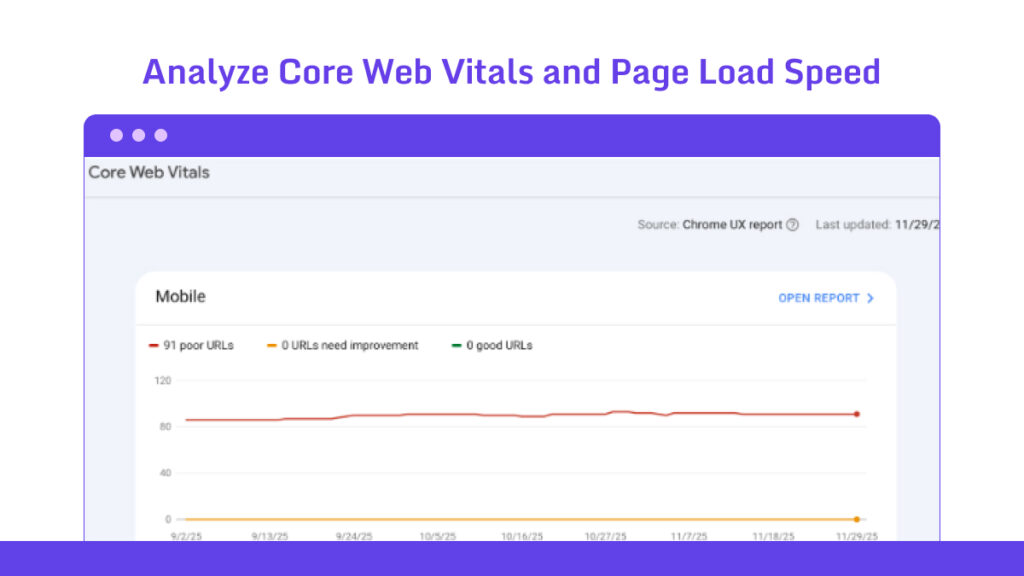
Run Google’s PageSpeed Insights. You want scores above 90 for mobile and desktop.
Look at these benchmarks:
- ➜ Largest Contentful Paint under 2.5 seconds,
- ➜ First Input Delay under 100ms.
Google updates penalize slower sites more severely.
Health Metrics Table:
| Metric | Good Range | Red Flag |
|---|---|---|
| Indexed Pages | 80–95% of the total | Under 70% |
| Page Load Time | Under 3 seconds | Over 5 seconds |
| Core Web Vitals | Green (over 90) | Red (under 50) |
| Error Rate | Under 1% | Over 5% |
| Required Time (Approximately) | 10 Minutes |
Step 4 – Creating Linkable Content
Good content makes outreach easier. People link to pages that help them solve a real problem or make them look smart when they share it.
15. Start with a Clear Purpose
Use a simple doc or Notion template. Get your stakeholders involved early so they’re on board. Skip the tactical stuff for now. No prospecting yet. Just focus on the big picture.
Write down 3-5 goals that are specific and measurable.
Here’s an example: “Get 15 links from sites with DR50+ to our product pages by Q2 2026. Move three target keywords up by 20 positions.”
Pick numbers that make sense. Maybe 5-10 new domains per month keeps things simple.
Vague goals like “get more links” burn you out fast. Clear ones improve your tracking.
Write down what’s holding you back. Budget? Team size? Tools?
Maybe you’ve got $500 a month, and you’re working solo. Or maybe you’ve got Ahrefs but no extra hands.
List what helps you move faster. It can be existing content you can repurpose or the partnerships you already have.
| Required Time (Approximately) | 25 Minutes |
16. Build Something That Saves Time for the Reader
Start small. Pick one thing to create. Use Google Sheets or Canva; they’re free and work fine. Get 10 people to try it first.
Step 1: Find Problems Worth Solving
Ask your audience what wastes their time. Use Typeform or Reddit polls. Keep it simple: “What takes forever when you’re [doing their job]?”
Look for problems you can solve. Check Reddit or Quora and see what people complain about over and over. If something shows up 50+ times a month, you’re onto something.
Stick to what you know. If you work in SEO, build something for link building or on-page SEO.
| Required Time (Approximately) | 20 Minutes |
Step 2: Pick Your Format
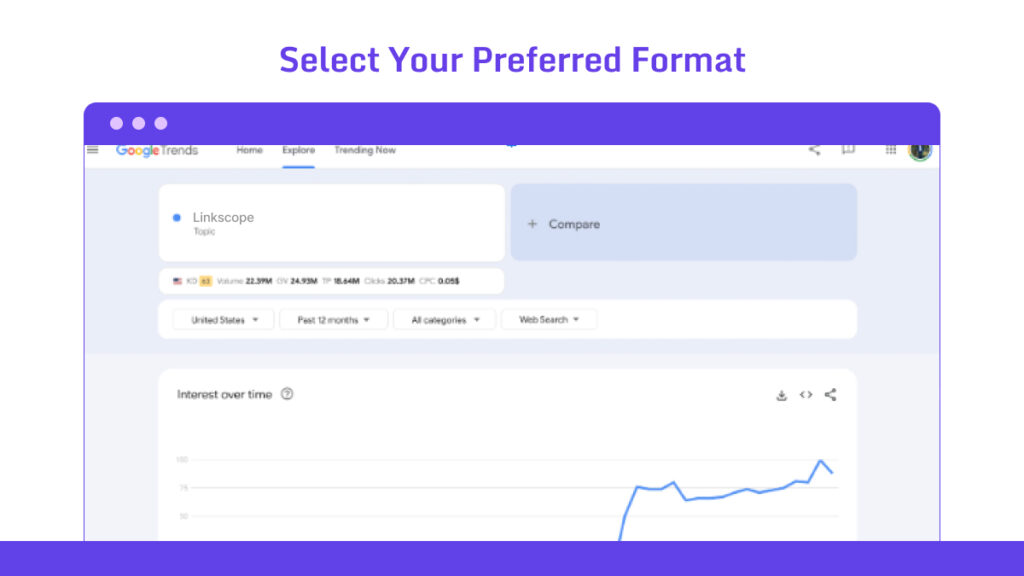
Match what you make to what people need. Checklists work for step-by-step stuff. Calculators work for numbers. Templates work for writing.
Come up with 3-5 ideas. Check Google Trends to see if anyone actually searches for them.
Draw it out. Use Miro or just paper. Think: what goes in, what happens, what comes out.
Keep it short.
| Required Time (Approximately) | 15 Minutes |
Step 3: Make It Yours
Create versions for different people. Simpler for solo folks. More features for teams.
Add your logo. Drop a link back to your site in the footer. Don’t be pushy about it.
| Required Time (Approximately) | 15 Minutes |
17. Add Data, Proof, or First Hand Insight
Run quick surveys. Ask 50-60 people on LinkedIn or Reddit. Or grab public datasets from sites like Statista’s free sections.
For your own stories, write down what happened when you tested something. “I tried 10 tools. Here’s which one won.”
Make it original. Take public data and add your take on it. This keeps you from copying others.
Verify stats with FactCheck.org. Get expert quotes through HARO.
Add it to your content. Make it fit naturally. Use subheads like “Our Survey Shows…” or add charts from Canva to break up text.
Keep balance. Aim for 20-30% insights. More than that waters down your story.
What Works Where:
- ➜ Data Stats → Bullet points at the start → 40% easier to read
- ➜ Case Study Proof → Side section → 30% more conversions
- ➜ Your Own Stories → End of the piece → 25% more shares
- ➜ Expert Quotes → Middle of the text → 35% more trust
| Required Time (Approximately) | 45 Minutes |
18. Keep Content Clear and Easy to Scan
Start with a hook. Use a question or a surprising number. Then add 3-5 main sections. End with a clear call to action.
Keep it simple with H1 for your title, H2 for sections, H3, H4, and H5 for smaller parts. Don’t go deeper than that.
Try mind-mapping tools like MindMeister. They help you see if your ideas flow well.
Here are a few more:
- ➜ Build Your Structure First
- ➜ Keep Paragraphs Short
- ➜ Write Clear Headings
- ➜ Use Lists
- 1. Bulleted lists: Great for features or quick ideas
- 2. Numbered lists: Perfect for step-by-step instructions
- 3. Icon-enhanced lists: Best for comparing features at a glance
- ➜ Add Visual Breaks
- ➜ Highlight Key Points (But Don’t Overdo It)
| Required Time (Approximately) | 45 Minutes |
Step 5 – Crafting Outreach Emails That Get Replies
Outreach is where most link builders lose momentum. You send fifty emails and get one reply. You tweak the subject line, call-to-action, and the tone. But nothing feels right.
But the truth is simple. People reply when your email feels like it was written by a real person who actually looked at their work.
Not a template or a script. A person.
19. Keep the Email Short
Use tools like Grammarly or the Hemingway App. Draft your email, then cut everything that doesn’t matter. Stick to 5-7 sentences max.
Don’t waste time with “I’m [name] from [site].” Your subject line handles that.
Write a Subject Line under 4-7 words. Something like “Quick [Niche] Update for Your Guide?” makes people curious.
Pick one specific thing from their site: “Your Q3 roundup nailed AI trends; here’s a 2026 twist.” Don’t use generic lines. Check their recent posts (Ahrefs or their RSS feed helps). Keep your hook under 20 words.
Ask for One Thing. One sentence: “Could you add this to your resources? [Short link].” Don’t give options. Pick your goal (guest post, link, whatever) and stick to it.
Read it out loud. Remove words like “just wondering if” and any jargon. Paste it into WordCounter.net. Aim for a 6th-grade reading level.
Send to 5-10 people. Track opens and replies in BuzzStream.
If you get less than 15% response, make your hooks shorter. Check this every month.
It takes 5 minutes to set up, then just watch.
| Email Part | Word Limit | Example |
|---|---|---|
| Subject | 5–7 words | “Fresh SEO Stat for Your List?” |
| Hook | Under 20 words | “Saw your tool roundup—added gem.” |
| Value Bullets | 3 max | • Unique data • Easy insert |
| Ask | 1 sentence | “Link here? Reply yes/no.” |
| Total Email | 80–120 words | Fits one phone screen |
| Good Mail Example | Bad Mail Example |
|---|---|
|
Subject: Fresh Link Data for Your SEO Guide? Hey [X], Your 2025 backlink strategies post called out the “quality over quantity” shift. That was spot on. I just published research showing 73% of Page 1 results now have <50 referring domains. • 2,400 SERPs analyzed • Contradicts old “more links” advice • Takes 90 seconds to read Could you add it to your resources section? Here’s the link: [shorturl.com/study] Reply yes/no—either way, loved your take on anchor text. [Your name] |
Subject: Collaboration Opportunity – Guest Post Inquiry for Your Website Hi there, I hope this email finds you well! My name is [X], and I’m the content marketing manager at [Y], where we’ve been helping businesses improve their online presence since 2019. I’ve been following your blog for a while now, and I really enjoy the content you put out there. I was wondering if you might be interested in a potential collaboration opportunity? We have several ideas that could work: • A guest post about SEO trends • A backlink exchange program • Or maybe we could interview you for our podcast? I think our audiences overlap quite a bit and it could be mutually beneficial. We have a domain authority of 45 and get about 50,000 monthly visitors, so I believe we could provide good value. Let me know what you think and if any of these options interest you, or if you have other ideas! Looking forward to hearing from you soon. Best regards, [X] Digital Marketing Manager |
| Required Time (Approximately) | 50 Minutes |
20. Offer Genuine Value First
This tactic fits between prospecting and pitching. Use BuzzStream for tracking and Hunter.io for contacts.
Find What They Actually Need. Check their recent content with Ahrefs or Google Alerts. Look at unanswered questions in comments or posts that didn’t get much traction.
Match it to what you know. If they write about SEO but skip technical audits, that’s your opening.
Create simple, useful stuff. A one-page PDF with three tips works. Or a quick video about their latest blog.
Make it personal. “Saw your Q3 post. Here’s data from my 500-site study showing a 15% traffic boost with [tactic].”
Now, send at the right time. Hit them post-publication, within 48 hours. Or before their monthly roundup deadline.
Use Mention to catch real-time triggers. They tweet a pain point? That’s your moment.
Value Offers by Prospect Type
| Persona Type | Value Example | Expected Reciprocity Rate | Tool for Creation |
|---|---|---|---|
| Content Creator | Custom content gap analysis | 30–40% | Ahrefs/SEMrush |
| Industry Influencer | Exclusive stat or co-branded infographic | 25–35% | Canva/Datawrapper |
| Site Owner/Blogger | Free tool access or beta invite | 20–30% | Google Forms |
| Journalist/PR | Curated source list for their beat | 35–45% | Notion/Sheets |
| Required Time (Approximately) | 50 Minutes |
21. Make Your Ask Simple and Don’t Be Salesy
Don’t force them to think. A clear ask works best. Outreach emails fail when they sound like ads. Skip pushy lines. Skip “this will boost your traffic fast” type promises.
Something like: “If you think it helps your readers, you can link to it here.”
That’s it.
22. Keep Your Follow-Up Light and Friendly
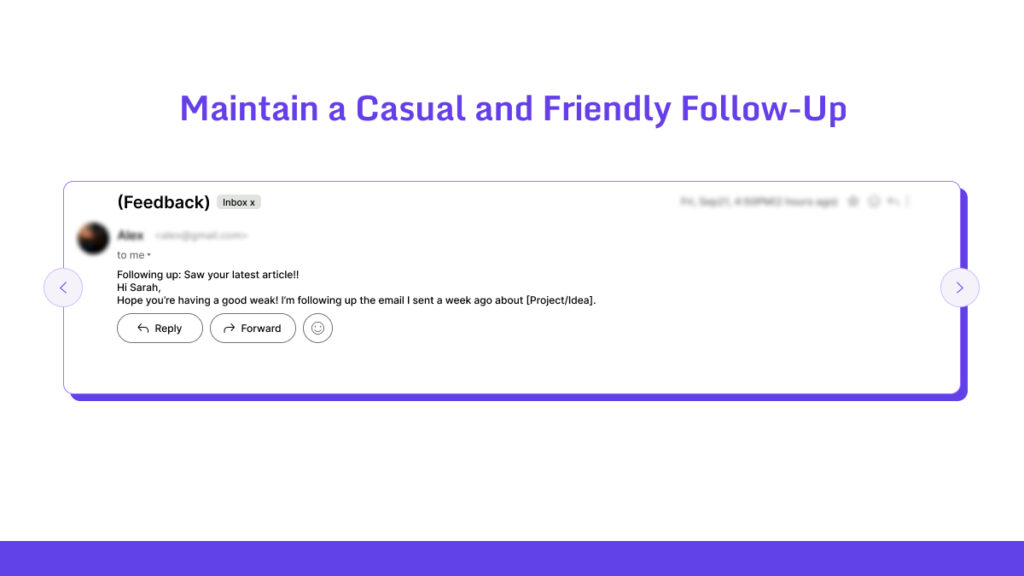
Stick to 2-3 follow-ups per person.
Send your first follow-up 5-7 days after your initial email. If you hear nothing, wait 10-14 days for the second one.
Skip weekends and holidays. Use Google Calendar to match their time zone.
Look at their site or socials (X, LinkedIn) for recent posts. Maybe they just published something new. You could say, “Saw your latest roundup—nice work!”
This proves you’re paying attention, not sending robot emails.
Use contractions (you’re, it’s). Maybe drop in an emoji or two; 😊 works. Ask them something: “How’s your week going?”
Sign off friendly: “Cheers,” or “Talk soon, [Your Name].”
This helps you dodge spam filters.
| Required Time (Approximately) | 20 Minutes |
23. Track What Works
Outreach improves fast when you track what gets replies.
You Must Track:
- ➜ Open rates
- ➜ Reply rates
- ➜ Link placement rates
- ➜ Subject lines
- ➜ Personalization style
- ➜ Value offered
Everyone has their own winning mix. Some get better replies with a casual tone. Others win with a tight, professional tone. You only find your pattern by tracking.
| Required Time (Approximately) | 30 Minutes |
Step 6 – Managing the Outreach Process
Outreach looks simple until you try to scale it. Then it turns into a pile of tabs, half-written drafts, and names you forget five minutes later. A clean system fixes all of that.
24. Use a Simple Outreach Dashboard
Keep things manageable with 50-100 prospects per sheet. Update every two weeks.
Step 1: Set Up Your Base
Grab Google Sheets or Excel if you want free. Need email tracking? BuzzStream starts at $24/month. Pitchbox runs $165/month but packs more punch.
Search “link outreach tracker template 2026” and download something that fits. Import your prospect list as a CSV. No one has time to type everything manually.
| Required Time (Approximately) | 10 Minutes |
Step 2: Build Your Columns
Your Must-Have Fields:
| Field | What It Does | Example |
|---|---|---|
| Prospect URL | Shows where you’re pitching | exampleblog.com/resources |
| Contact Email | Quick access for replies | [email protected] |
| Pitch Type | Groups campaigns | Resource page add |
| Status | Shows progress | Follow-Up 2 |
| Outcome | Tracks wins and losses | Link Placed (DR 45) |
| Score | Ranks your targets | 8/10 |
Make dropdown menus for your status column. Options like “Sent,” “Follow-Up 1,” and “Won”
| Required Time (Approximately) | 30 Minutes |
25. Warming Up New Email Domains
Start with a separate subdomain like outreach.yourdomain.com. This keeps your main domain safe if something goes wrong.
Step 1: Set Up Email Authentication
Add SPF, DKIM, and DMARC records to your DNS. Tools like MX Toolbox make this pretty simple. You want 100% alignment here.
BIMI is optional. It adds your logo to inboxes and can bump trust by 10-15%.
Test everything with Google’s Postmaster Tools before you send anything. You’re looking for zero authentication failures.
| Required Time (Approximately) | 20 Minutes |
Step 2: Pick a Warming Tool
Warmup Inbox works well if you need AI (their free plan covers 50 emails daily). Mailgo fits cold outreach. AWS SES handles enterprise-level IP warming.
Connect your email provider, Google Workspace, for example, and pull in 500-1,000 contacts who’ve actually engaged with you before.
| Required Time (Approximately) | 30 Minutes |
Step 3: Create a Contact List
Pull together 200-500 people who already know you. Past subscribers, coworkers, anyone who’s opened your emails at least 30% of the time. Your CRM or a Google Sheet works fine.
Split them into groups. Put your most engaged 100 contacts in Tier 1. Don’t touch cold lists yet.
| Required Time (Approximately) | 40 Minutes |
Step 4: Ramp Up Slowly
Here’s what a basic schedule looks like for 500 contacts:
- ➜ Week 1: 20-50 emails/day to high-engagement contacts. Aim for 40%+ opens and under 0.1% complaints.
- ➜ Week 2: 50-100 emails/day to high and medium tiers. Watch for 35%+ opens and check bounce rates.
- ➜ Week 3: 100-250 emails/day across all tiers. Target 30%+ opens and keep spam under 0.05%.
- ➜ Week 4+: 250-500+ emails/day to everyone. Look for 25%+ opens and a stable reputation.
| Required Time (Approximately) | 30 Minutes |
Step 7 – Quality Control and Maintenance
Getting links is just the start. Links can break, get nofollowed, or even disappear. Quality control keeps your efforts from going to waste.
26. Making Sure Your Links Are Dofollow
You want links that actually help your rankings. That means they need to be dofollow; either with rel=”dofollow” in the code or nothing at all (which defaults to dofollow).
How to Check Your Links Are Dofollow?
Use browser tools and dashboards to verify links. Check every new link you get. For older ones, batch-check once a month.
Step 1: Check New Links Right Away
Open the page with your link in incognito mode. Right-click your link and hit “Inspect Element.” You’ll see something like <a href=”your-url” rel=””>.
An empty rel tag means dofollow. That’s what you want. Watch out for rel=”ugc” or rel=”nofollow.”
| Required Time (Approximately) | 5 Minutes |
Step 2: Verify Multiple Links at Once
Export your recent links from your tracking sheet. Drop them into Ahrefs Site Explorer or SEMrush Backlink Audit.
Filter by nofollow status. If more than 10% are nofollow, dig deeper.
You can use Google Sheets too: =IMPORTXML(“link-url”, “//a/@rel”) pulls the data semi-automatically.
| Required Time (Approximately) | 15 Minutes |
Tools for Checking Links
| Tool | What It Does | Best For | Price (2026) |
|---|---|---|---|
| SEO Minion | Shows rel attributes instantly | Quick manual checks | Free |
| Ahrefs Site Explorer | Filters link status in bulk | Full portfolio audits | $129/month+ |
| SEMrush Backlinks | Alerts when attributes change | Ongoing tracking | $129/month+ |
| Screaming Frog | Pulls HTML data in bulk | Deep CMS analysis | Free or $259/year |
| Check My Links | Flags broken and nofollow links visually | Fast page scans | Free |
27. Monitor Link Health and Indexation
Run your first scans. Write down what you find for each link: Is it live or broken? Indexed or invisible? What’s the toxicity score?
Pick your warning signs. Maybe you want alerts if more than 5% of links break each month. Or if fewer than 90% get indexed.
Choose how often to scan. Daily checks for indexation work well. Weekly scans catch health issues before they spread.
Use the schedulers built into Ahrefs Projects or SEMrush Position Tracking.
Health Metrics Worth Watching:
| Metric | What You Want | When to Worry |
|---|---|---|
| Link Status | 95%+ live | More than 5% showing 404s or redirects |
| Toxicity Score | Under 20% flagged | Sudden jump over 10% |
| Referring Page Uptime | 99% available | Down for more than 24 hours |
| Anchor Text Stability | No weird changes | Changed to spam phrases |
28. Update or Replace Broken Links
Start with what you already know. Check your Ahrefs alerts or run a quick Screaming Frog crawl. Then grab your backlink data.
Step 1: Sort Your Broken Links
Break them into three groups: internal links (on your site), outgoing links (you linking out), and incoming links (others linking to you). Spend 60% of your time on incoming links. They hold your link equity.
| Required Time (Approximately) | 45 Minutes |
Step 2: Fix the Easy Stuff First
Internal breaks get a 301 redirect. Use your .htaccess file or a WordPress plugin like Redirection. Test it with a curl command.
For outgoing links, check if the page just moved. The Wayback Machine can show you where it went. Update the URL.
| Required Time (Approximately) | 30 Minutes |
Step 3: Check Your Work
Wait 7-14 days. Set up UptimeRobot alerts so you catch new problems fast.
Your fix checklist:
| Fix Type | How to Check | What Success Looks Like |
|---|---|---|
| Internal Redirect | Crawl for 200 status | Zero 404 errors |
| Outgoing Update | Click the link manually | Page loads fine |
| Incoming Repair | Check Ahrefs backlinks | Shows as “live” |
| Replacement Link | Verify anchor text | DR equity transfers |
Step 4: Find Replacements for Dead Links
Some links can’t be fixed. The site shut down, or the owner ghosted you.Use the Ahrefs Overlap Tool to find similar sites. Match the original link’s DR if you can.
| Required Time (Approximately) | 45 Minutes |
Step 8 – Measuring Success
A categorical measurement system will save you all the time with random Google Sheets. You must have your KPIs and goals. Let’s learn to measure.
29. Key Metrics to Track
Here are the key metrics you must track for long-term hauls!
| Metric | How to Track | Ideal Benchmark (2026) | Why Track It? |
|---|---|---|---|
| Linking Root Domains (LRD) | Unique referring domains; export from Ahrefs for diversity trends. | 8–20/month for growth sites | Builds broad authority signals without single-source risks. |
| Domain Rating (DR)/DA | Overall site authority (1–100); monitor via Ahrefs/Moz dashboards with historical views. | +7–12 points/quarter | Gauges equity inflow for long-term resilience. |
| Relevancy Score | Topical alignment (0–100%); use SEMrush analyzer on backlink topics. | >85% average per new link | Aligns with semantic search and E-E-A-T boosts. |
| SERP Ranking Impact | Position shifts for target keywords; track in SEMrush Rank Tracker post-link. | 15–25% of target terms move up | Directly links backlinks to business visibility gains. |
| AI Citation Growth | Mentions in AI overviews (e.g., Perplexity); query tools monthly for new instances. | 4–8× growth quarterly | Captures influence in AI-driven 70%+ of queries. |
| Referral Traffic Uplift | Visits from referrers; measure in GA4 via UTM or domain. | 18–30% from new links | Quantifies immediate engagement value. |
| Link Building ROI | (Revenue from assisted conversions – outreach costs)/costs; use GA attribution models. | >250% annually for scaled efforts | Validates business alignment beyond SEO. |
| Page Authority (PA)/URL Rating (UR) | Page-level strength (1–100); check via Moz/Ahrefs for placement pages. | >50 for 70% of linked pages | Ensures granular equity on high-value assets. |
| Anchor Text Distribution | Mix of anchors (branded/exact/natural); audit in Ahrefs Anchors report. | <15% exact-match; 45%+ branded | Prevents over-optimization and penalties in AI audits. |
| Follow/NoFollow Ratio | Dofollow percentage; filter exports in SEMrush Backlink Analytics. | 65–80% dofollow | Balances ranking juice with natural diversity. |
| Link Velocity | New links/month; plot trends in Ahrefs Historical Data. | Steady 10–25/month; no spikes >50% | Signals organic growth vs spam flags. |
| Backlink Toxicity Score | Harmful link risk (0–100%); generated via SEMrush Audit or similar tools. | <10% overall profile | Keeps the link graph clean for penalty avoidance. |
| Organic Traffic Growth | Site-wide search visits; compare per post in GA4 Acquisition reports. | +20–40% quarterly from link campaigns | Measures broader visibility ripple effects. |
| Cost Per Link (CPL) | Total spend / new links; calculate monthly in Sheets from outreach logs. | <$200 for DR50+; scales by niche | Optimizes budget for high-ROI acquisitions. |
Step 9 – Tools and Resources
It would be a lot easier if you had found all the tools in one place, right? Guess what, we actually made you the list here.
30. Backlink Analysis Tools
| Tool | Key Features | Pricing (2026) |
|---|---|---|
| Ahrefs | Comprehensive backlink database (30T+ links), gap analysis, toxicity checker, and historical data. | Starts at $129/mo |
| SEMrush | Backlink analytics with audit tools, competitor gaps, and anchor text optimisation. | $165/mo (Starter) |
| Moz Pro | Link Explorer for DA/PA scoring, spam analysis, and on-page integration. | $79/mo (Standard) |
| Majestic SEO | Trust Flow/Citation Flow metrics, topical trust analysis, and clique hunter. | $99/mo (Pro) |
| SE Ranking | Affordable backlink monitoring, white-label reports, and API for custom dashboards. | $95/mo (Pro) |
| Linkody | Real-time alerts for new/lost links, customizable reports, and Google integration. | $14.90/mo (Starter) |
31. Outreach and CRM Tools for SEO
| Tool | Key Features | Pricing (2026) |
|---|---|---|
| BuzzStream | Outreach automation, CRM for link campaigns, backlink tracking, and team collaboration. | $124/mo (Growth) |
| Pitchbox | AI-powered personalisation, email sequencing, prospect discovery, and ROI analytics. | $165/mo (Pro) |
| Pipedrive | Visual pipelines for SEO deals, email integration, and activity reminders. | $14/user/mo (Lite) |
| Hunter.io | Email finder/verifier, cold outreach templates, CRM export. | $34/mo (Starter) |
| Respona | Automated prospecting, A/B testing for pitches, and follow-up sequences. | $495/mo (Pro) |
| ClickUp | Customizable SEO workflows, task automation, integrated outreach boards. | Free; $7/user/mo (Unlimited) |
32. Content Creation and Ideation Tools
| Tool | Key Features | Pricing (2026) |
|---|---|---|
| Surfer SEO | Content optimisation scores, keyword clustering, and SERP analyser for ideation. | $79/mo (Essential) |
| Jasper.ai | AI long-form writing, templates for blogs/guest posts, plagiarism checker. | $59/mo (Pro) |
| BuzzSumo | Trending content discovery, influencer finder, share-of-voice metrics. | $199/mo (Content) |
| AnswerThePublic | Question-based ideation, visual search clouds, exportable keyword lists. | $28.58/mo (Pro) |
| Copy.ai | Short-form copy generation, SEO outlines, and A/B testing for headlines. | $29/mo (Chat) |
33. Monitoring and Reporting Tools
| Tool | Key Features | Pricing (2026) |
|---|---|---|
| Ahrefs | Link monitor with alerts, traffic attribution, and custom PDF reports. | $129/mo (Lite) |
| SEMrush | Position tracking, backlink health dashboard, white-label reporting. | $165/mo (Pro) |
| AgencyAnalytics | Multi-client reporting, link KPI widgets, and automated email summaries. | $125/mo (Agency) |
| SE Ranking | Daily rank monitoring, link velocity charts, API for integrations. | $95/mo (Pro) |
| Moz Pro | Campaign tracking, link diagnostics, shareable reports with forecasts. | $79/mo (Standard) |
| BrightLocal | Local link monitoring, citation audits, and performance benchmarking. | $36/mo (Manage) |
FAQ: Everything About Link Building Checklist
How long does it take for new backlinks to impact rankings?
Most backlinks take between 4 and 12 weeks to influence rankings. The timing depends on factors like crawl frequency, the authority of the linking site, and the importance of the page receiving the link. High-authority domains are crawled more often, so links from those sites usually show results sooner.
How many links should I build per month?
There is no universal number. The most effective approach is to match or slightly exceed the link velocity of your competitors while maintaining a focus on link quality rather than quantity. It’s also important to avoid sudden spikes in link acquisition that may appear unnatural.
How do I know if a site is part of a PBN?
You can identify PBN-like sites by checking for overlapping IP addresses or shared backend CMS footprints, thin or low-traffic content, identical layouts across multiple sites, outbound links to unrelated industries, and overly optimised anchors. If three or more of these signals are present, it’s safer to skip the site.
What’s the safest link building method in 2026?
The safest methods continue to be digital PR, journalist request platforms like HARO, branded mentions, link-worthy assets such as tools or research, and collaborations with legitimate websites. These approaches build long-term authority and avoid the risks associated with scalable link-swapping tactics.
Should I build links to my homepage?
The homepage is the main important page, and it passes link juice to all your pages. So you should build more links to your homepage.
What if I lose a high-quality backlink?
First, determine why the link was removed. It could be due to content updates, redesigns, or editorial changes. After identifying the reason, reach out politely to see if it can be restored, possibly by offering updated content. If the link cannot be recovered, aim to replace it with two links of comparable quality.
How do I avoid Google penalties during link building?
To stay safe, avoid repeating exact match anchors, steer clear of PBN-like sites, and don’t purchase links openly or in bulk. Maintain a natural link velocity and ensure your backlink sources are diverse across blogs, forums, news sites, resource pages, and educational domains.